Custom block#
Objective#
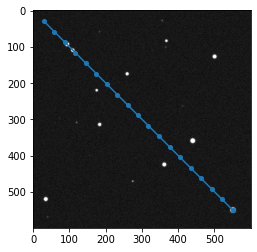
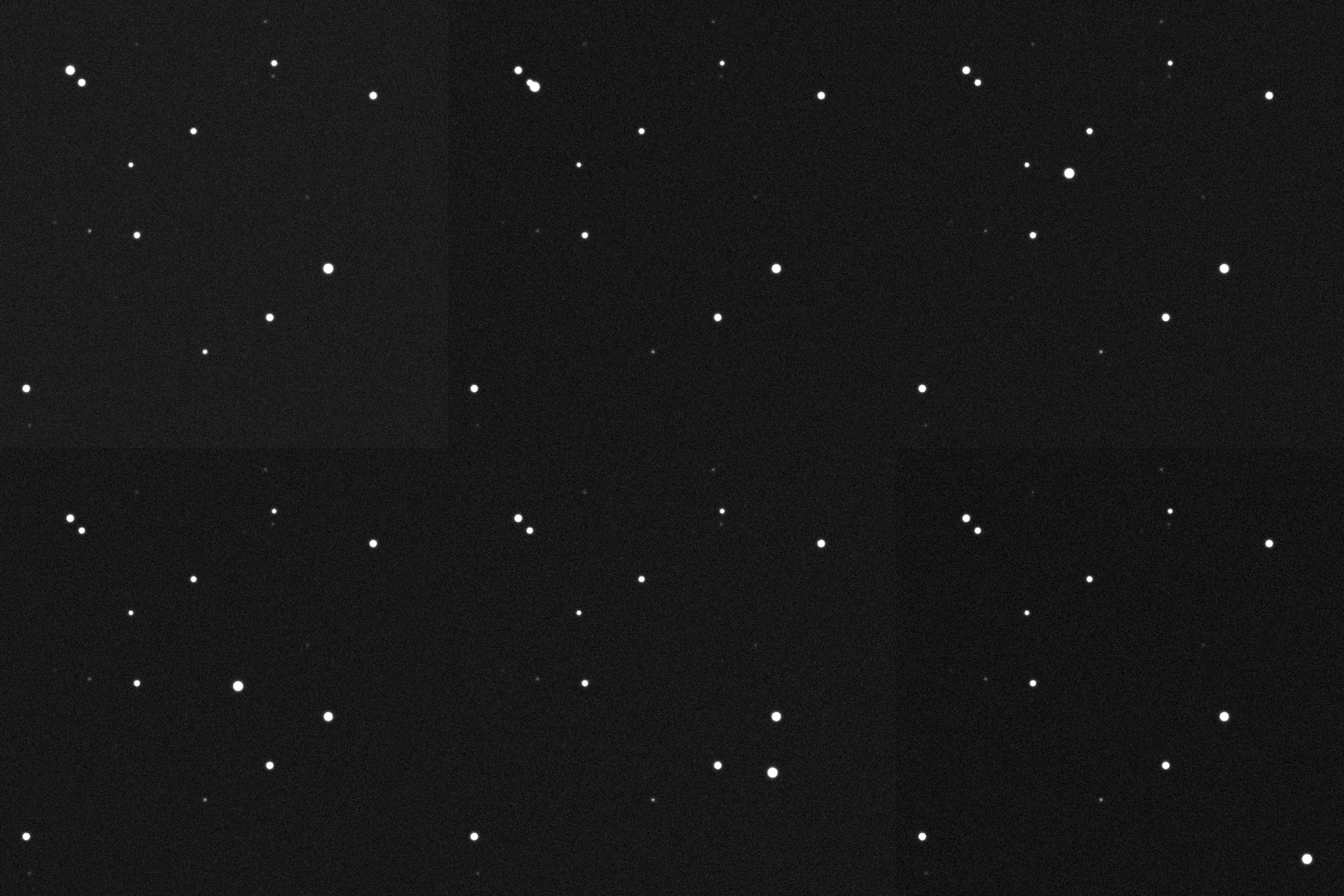
In this tutorial we will create a custom Block and include it in a pipeline to detect and trace a moving object in the following observation:
Dataset#
For this tutorial we will work on a synthetic observation which gif can be seen above. To generate this dataset:
[1]:
from prose.tutorials import moving_object
import numpy as np

destination = "moving_object_dataset"
time = np.linspace(0, 10, 20)

np.random.seed(42)
moving_object(time, destination)
100%|████████████████████████████████████████████████████████████████████████████████████████████████| 20/20 [00:00<00:00, 29.65it/s]
We directly instantiate a FitsManager object to explore this folder
[2]:
from prose import FitsManager
#
fm = FitsManager(destination)
fm
RUN Parsing FITS: 100%|███████████████████| 26/26 [00:00<00:00, 1986.26images/s]
[2]:
| date | telescope | filter | type | target | width | height | files | |
|---|---|---|---|---|---|---|---|---|
| id | ||||||||
| 3 | 2022-09-08 | A | bias | prose | 600 | 600 | 1 | |
| 4 | 2022-09-08 | A | dark | prose | 600 | 600 | 1 | |
| 2 | 2022-09-08 | A | a | flat | prose | 600 | 600 | 4 |
| 1 | 2022-09-08 | A | a | light | prose | 600 | 600 | 20 |
Principle#
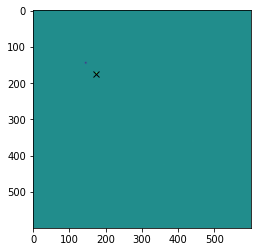
We will use difference imaging to locate the moving object. This is shown in the next code where we can see that difference between consecutive images allows to locate a moving source.
[4]:
import numpy as np
from astropy.io import fits
import matplotlib.pyplot as plt

# loading first and second images
files = fm.all_images
im0 = fits.getdata(files[5])
im1 = fits.getdata(files[6])

# difference image
im_diff = im1 - im0

# max difference position
position = np.array(np.unravel_index(np.argmax(im_diff), im_diff.shape))[::-1]

plt.imshow(im_diff)
_ = plt.plot(*position, "x", c="k")
Creating a new :Block#
Now we can create a Block that will extract and store this information
[5]:
from prose import Block
from prose.utils import z_scale

class MovingTarget(Block):

    # nothing to initialize

    def __init__(self, **kwargs):
        super().__init__(**kwargs)

        # stores last image and positions
        self.last_image = None
        self.positions = []

    def run(self, image):

        # difference imaging we did above
        if self.last_image is None:
            self.positions.append(None)
        else:
            im_diff = image.data - self.last_image
            position = np.unravel_index(np.argmax(im_diff), im_diff.shape)[::-1]
            self.positions.append(position)

        self.last_image = image.data

    def terminate(self):

        # We finish by plotting positions over the last image
        plt.imshow(z_scale(self.last_image), cmap="Greys_r")
        coords_path = np.array(self.positions[1::])
        plt.plot(*coords_path.T, "-o", ms=4)
We can now place our new block in a Sequence and run it:
[6]:
from prose import Sequence

pipeline = Sequence([
    MovingTarget()
])

pipeline.run(fm.all_images)
RUN 100%|███████████████████████████████████| 20/20 [00:00<00:00, 47.49images/s]